
How to Download YouTube Videos as MP4 (Step-by-Step Guide)
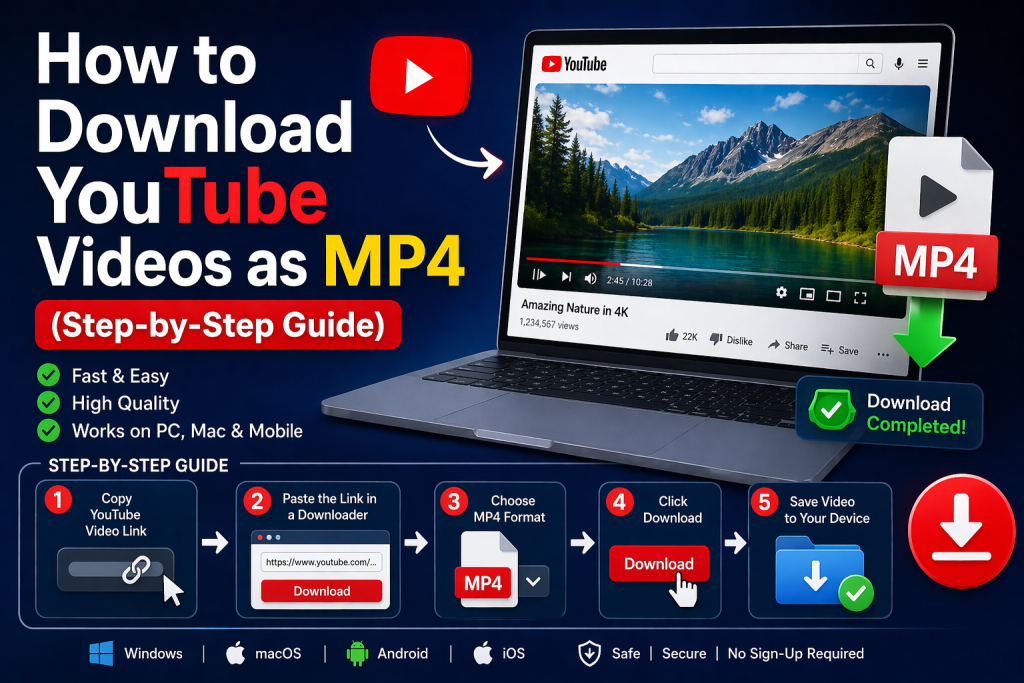
Summary
Downloading YouTube videos as MP4 allows you to watch content offline in a widely compatible format. This guide explains multiple methods—from online tools to desktop software and even a free video recorder—so you can choose the best option for your needs.
Introduction
YouTube is packed with valuable content, from tutorials and lectures to entertainment and music. But sometimes, streaming isn’t enough—you may want to save videos for offline viewing, presentations, or personal use.
That’s where tools for YouTube to MP4 conversion come in. When you convert YouTube to MP4, you get a file format that works on almost any device, including PCs, smartphones, and TVs.
In this step-by-step guide, we’ll explore all the major ways to download a YouTube video to MP4, including online tools, desktop programs, extensions, and even screen recording.
Quick Preview
Here’s what you’ll learn:
- Online tools for quick downloads
- Desktop software for high-quality results
- Browser extensions for convenience
- Mobile apps for downloading on phones
- Screen recording as an alternative method
1. How to Download YouTube Videos as MP4 with Online Tools
Online tools are the fastest way to convert YouTube to MP4 without installing software. A popular example is KeepVid.
Steps
- Open YouTube and copy the video URL
- Go to the KeepVid website
- Paste the link into the search box
- Choose MP4 format
- Click download and save the file
Pros
- No installation needed
- Works on any browser
- Quick and simple
Cons
- Limited resolution options
- Ads and pop-ups
- Not ideal for long videos or playlists
2. How to Download YouTube Videos as MP4 with Desktop Software
If you want better quality and more features, desktop tools like CleverGet YouTube Downloader are a great choice.
Steps
- Install and open the software
- Use the built-in browser to visit YouTube
- Play the video you want
- Select MP4 format and resolution
- Click download
Pros
- Supports HD, 4K, and even higher resolutions
- Batch downloads and playlist support
- Fast and stable
Cons
- Requires installation
- Some advanced features may be paid
This is one of the most reliable ways to convert YouTube to MP4, especially for frequent users.
3. How to Download YouTube Videos as MP4 with Browser Extensions
Browser extensions provide a quick and integrated solution. One commonly used option is Video DownloadHelper.
Steps
- Install the extension in your browser
- Open the YouTube video
- Click the extension icon
- Select MP4 format
- Download the file
Pros
- Easy to use
- No separate software required
- Fast access
Cons
- Limited functionality
- May not work on all videos
- Browser restrictions may apply
4. How to Download YouTube Videos as MP4 on Mobile
For mobile users, apps like Snaptube make it easy to download videos directly.
Steps
- Install the app from its official source
- Search for the YouTube video
- Tap the download button
- Choose MP4 format
- Save the video
Pros
- Convenient for smartphones
- Supports multiple resolutions
- Simple interface
Cons
- Not always available on official app stores
- Requires careful installation
5. Alternative Method: Using a Free Video Recorder
If downloading tools don’t work or you want a flexible solution, using a free video recorder is another effective option. Tools like OBS Studio allow you to record your screen while playing the video.
Steps
- Install and open the screen recorder
- Select the recording area (full screen or browser window)
- Enable system audio
- Play the YouTube video
- Start recording and stop when finished
- Save the recording as MP4
Pros
- Works on almost any video
- No download restrictions
- Flexible recording options
Cons
- Requires real-time playback
- Manual process
- File sizes may be larger
This method is especially useful if other tools fail or when you want full control over the recording.
6. Final Thoughts
There are many ways to download a YouTube video to MP4, and the best method depends on your needs:
- Online tools: Best for quick, simple downloads
- Desktop software: Ideal for high quality and bulk downloads
- Browser extensions: Convenient but sometimes limited
- Mobile apps: Great for downloading on the go
- Free video recorder: A flexible alternative when downloads aren’t possible
For frequent use and advanced features, tools like CleverGet YouTube Downloader stand out. For occasional use, simpler methods will do the job.
Always ensure you follow copyright rules and platform policies when downloading content.
FAQs
1. Is it safe to convert YouTube videos to MP4?
Yes, as long as you use trusted tools and avoid suspicious websites.
2. Can I convert YouTube playlists to MP4?
Yes, software like CleverGet YouTube Downloader supports playlist downloads.
3. Do MP4 downloads expire?
No, once saved, MP4 files remain on your device until you delete them.
4. What’s the difference between MP4 and other formats?
MP4 is widely supported and balances quality with file size, making it the most popular choice.
With the right method, you can easily build your offline video library and enjoy your favorite content anytime, anywhere.